
How I Use AI Tools to Speed Up My Development Workflow
How I Use AI Tools to Speed Up My Development Workflow
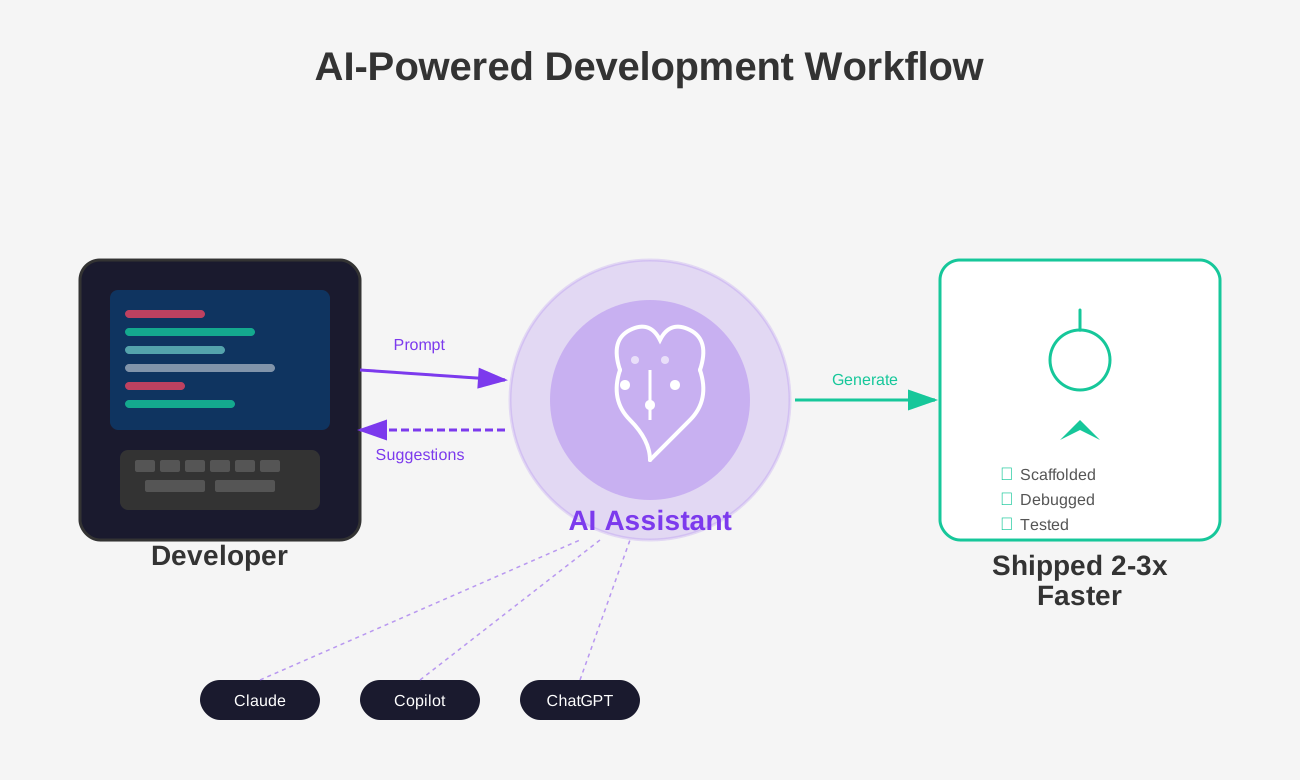
As a software developer and the founder of Byte, I'm constantly looking for ways to do more with less time. Over the past year, AI-powered development tools have gone from a novelty to an essential part of how I build software. Here's a practical look at how I use them daily and the impact they've had on my workflow.
The Tools I Use
There are a handful of AI tools that have found a permanent place in my toolkit:
- Claude — My go-to for reasoning through architecture decisions, debugging complex issues, and writing documentation.
- GitHub Copilot — Inline code completion that handles boilerplate and repetitive patterns.
- ChatGPT — Useful for quick lookups, brainstorming, and exploring ideas before committing to an approach.
Each tool has its strengths, and I've learned when to reach for which one.
Where AI Makes the Biggest Difference
1. Scaffolding New Features
When I start a new feature, I describe what I need and let the AI generate the initial structure. For example, when adding a new API endpoint in Next.js, I can go from idea to a working skeleton in minutes instead of writing everything from scratch.
// Instead of writing this from memory every time,
// I describe what I need and get a working starting point
export async function GET(request: Request) {
  const { searchParams } = new URL(request.url)
  const query = searchParams.get('q')

  // AI helped me remember the correct Next.js 15 patterns
  return Response.json({ results: [] })
}
This doesn't replace understanding the code — I still review and modify everything. But it eliminates the friction of starting from a blank file.
2. Debugging Faster
Before AI tools, debugging meant reading stack traces, searching Stack Overflow, and piecing together answers from multiple forum posts. Now I paste the error along with the relevant code and get a targeted explanation of what's wrong and how to fix it.
This is especially useful when working with unfamiliar libraries or when an error message is cryptic. The AI can often pinpoint the issue in seconds — something that used to take 30 minutes of searching.
3. Writing Tests
Let's be honest — writing tests isn't the most exciting part of development. AI tools make it significantly less tedious. I provide a function, describe the edge cases I care about, and get a solid test suite as a starting point.
4. Documentation and Commit Messages
Writing clear documentation and meaningful commit messages is important but easy to skip when you're moving fast. AI helps me maintain this discipline by drafting descriptions that I can quickly review and refine.
What AI Tools Are NOT Good At
It's equally important to understand the limitations:
- They don't understand your business context. AI doesn't know why you made certain architectural decisions or what trade-offs matter to your team.
- They can generate plausible but wrong code. Always review AI-generated code carefully. I've caught subtle bugs that would have been painful in production.
- They're not a substitute for learning. If you don't understand the fundamentals, you won't catch the mistakes AI makes. I still invest time in understanding the technologies I use.
- Security-sensitive code needs extra scrutiny. Never blindly trust AI-generated code for authentication, authorization, or data handling.
My Workflow in Practice
Here's what a typical development session looks like for me now:
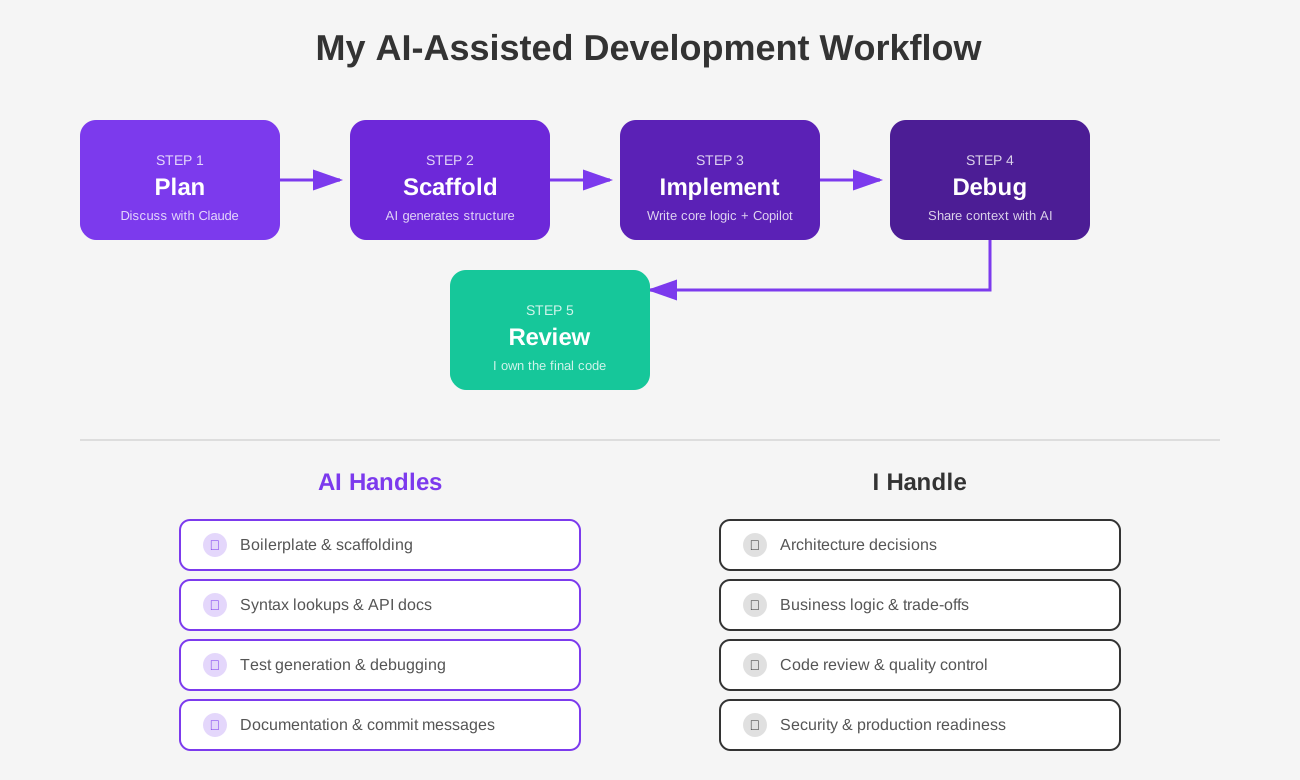
- Plan — I describe the feature or bug to Claude and discuss the approach before writing any code.
- Scaffold — Use AI to generate the initial structure and boilerplate.
- Implement — Write the core logic myself, using Copilot for completions along the way.
- Debug — When something breaks, I share the context with AI to get unstuck faster.
- Review — I read through everything before committing. AI assists, but I own the code.
The diagram above also captures something important — the split between what I delegate to AI and what stays firmly in my hands. AI handles the repetitive grunt work; I handle the decisions that matter.
The Productivity Impact
Since integrating AI tools into my workflow, I estimate I'm shipping features about 2-3x faster. The time saved on boilerplate and debugging adds up quickly, especially as a solo founder where every hour counts.
But the real benefit isn't just speed — it's reduced context switching. Instead of breaking flow to search for syntax or API docs, I stay in the editor and keep building.
Final Thoughts
AI tools aren't replacing developers. They're making us more productive by handling the repetitive parts so we can focus on what actually matters — solving problems, designing good systems, and building things people use.
If you haven't tried integrating AI into your development workflow yet, start small. Use it for one specific task — debugging, writing tests, or scaffolding — and see how it fits. You'll likely find it hard to go back.