
Implementing a Login System Using a Text File as a Database in Java
How to Implement Login Using a Text File as a Database in Java
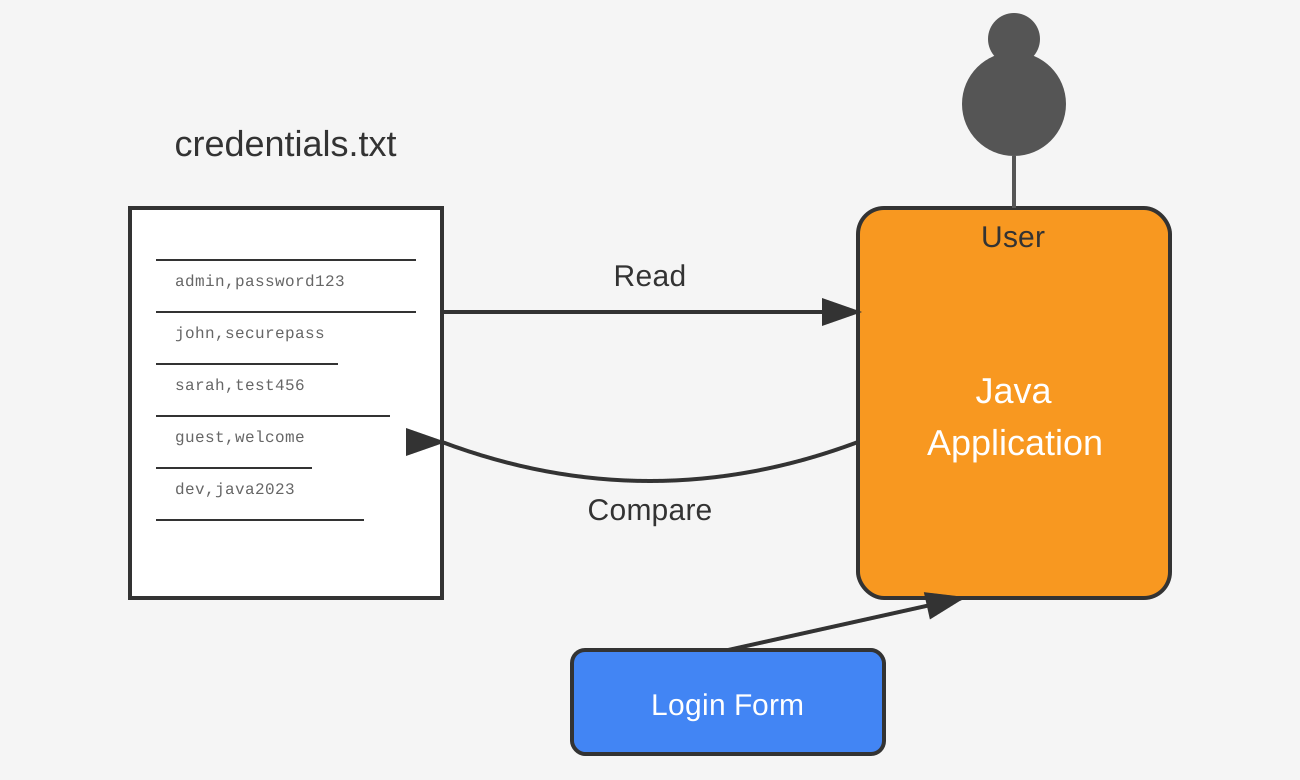
Managing user authentication is a fundamental aspect of many applications. While most modern applications use relational databases or NoSQL solutions for storing user credentials, you might need a simple and lightweight approach for smaller projects. In this article, we’ll explore how to implement a login system in Java using a text file as a database.
1. Understanding the Approach
The idea is to store user credentials (username and password) in a text file. Each line in the file represents a user, formatted as:
username,password
During login, the application reads the file, checks if the entered credentials match an existing record, and grants or denies access accordingly.
2. Setting Up the User Database
Create a text file (users.txt) that will act as the database:
john,password123
alice,securePass
admin,admin123
3. Java Code for Login System
Below is a Java program to handle user login using a text file.
Step 1: Create a Login Class
import java.io.BufferedReader;
import java.io.FileReader;
import java.io.IOException;
import java.util.Scanner;

public class FileLogin {
    private static final String FILE_PATH = "users.txt";

    public static void main(String[] args) {
        Scanner scanner = new Scanner(System.in);

        // Get username and password from user input
        System.out.print("Enter username: ");
        String username = scanner.nextLine();

        System.out.print("Enter password: ");
        String password = scanner.nextLine();

        // Validate credentials
        if (authenticateUser(username, password)) {
            System.out.println("Login successful! Welcome, " + username);
        } else {
            System.out.println("Invalid username or password. Please try again.");
        }

        scanner.close();
    }

    // Method to authenticate user
    private static boolean authenticateUser(String username, String password) {
        try (BufferedReader reader = new BufferedReader(new FileReader(FILE_PATH))) {
            String line;
            while ((line = reader.readLine()) != null) {
                String[] credentials = line.split(",");
                if (credentials.length == 2) {
                    String storedUsername = credentials[0].trim();
                    String storedPassword = credentials[1].trim();

                    if (storedUsername.equals(username) && storedPassword.equals(password)) {
                        return true;
                    }
                }
            }
        } catch (IOException e) {
            System.err.println("Error reading user database: " + e.getMessage());
        }
        return false;
    }
}
4. How It Works
- The program prompts the user to enter a username and password.
- It reads the
users.txtfile line by line. - Each line is split using a comma (
,) to extract the stored username and password. - It compares the entered credentials with the stored ones.
- If a match is found, the user is authenticated; otherwise, access is denied.
5. Adding New Users (Registration)
To allow new users to register, you can modify the program to append new credentials to the users.txt file.
import java.io.FileWriter;
import java.io.IOException;
import java.io.PrintWriter;
import java.util.Scanner;

public class RegisterUser {
    private static final String FILE_PATH = "users.txt";

    public static void main(String[] args) {
        Scanner scanner = new Scanner(System.in);

        System.out.print("Enter new username: ");
        String username = scanner.nextLine();

        System.out.print("Enter new password: ");
        String password = scanner.nextLine();

        if (registerUser(username, password)) {
            System.out.println("Registration successful!");
        } else {
            System.out.println("Error registering user.");
        }

        scanner.close();
    }

    private static boolean registerUser(String username, String password) {
        try (PrintWriter out = new PrintWriter(new FileWriter(FILE_PATH, true))) {
            out.println(username + "," + password);
            return true;
        } catch (IOException e) {
            System.err.println("Error writing to file: " + e.getMessage());
        }
        return false;
    }
}
6. Security Considerations
- Plain Text Storage: Storing passwords in plain text is not secure. Instead, you should hash passwords using algorithms like SHA-256 or BCrypt.
- File Permissions: Ensure the file is read-only for unauthorized users.
- Input Validation: Prevent users from entering usernames with commas, which could corrupt the database format.
7. Conclusion
Using a text file as a database is a simple way to implement user authentication in Java, especially for small-scale applications. However, for larger applications, it’s advisable to use a proper database system with encrypted password storage.